Kawaii IconsGenerate a matching set with AI
Kawaii icons apply the Japanese cute aesthetic to everything: round bodies, tiny dot eyes, blush marks, and pastel palettes. A cloud, a coffee cup, even a tax document becomes a small character you feel slightly protective of.
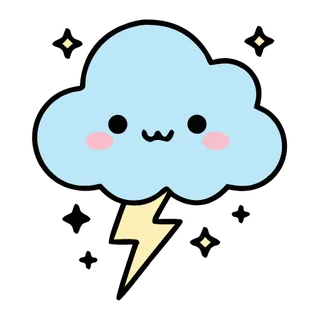
When to use kawaii icons
Kawaii style powers sticker packs, habit trackers, journaling apps, stationery brands, and communities built around comfort and softness. The style demands consistency more than most — faces drawn with different eye spacing or blush placement read as different species. Batch generation locks the facial grammar across the whole set, and pastel color modes keep the palette in the right emotional register.
Best for
- Sticker packs and messaging
- Habit trackers and self-care apps
- Stationery and merch
- Stream overlays and emotes
- Community badges
Example prompts
Paste one of these into the generator, or describe your own theme — every icon in the batch comes out in the same kawaii style.
Frequently asked questions
What colors define the kawaii style?+
Soft pastels — pink, mint, lavender, cream — with low contrast and warm undertones. Use Icora's pastel color mode during generation to keep every icon inside the palette, and reserve one saturated accent for blush marks and highlights.
Do all kawaii icons need faces?+
No, but faces are the strongest signal of the style. A good middle ground is faces on hero icons and face-less pastel styling on functional ones, so the set stays cohesive without turning every button into a character.
Related styles


Popular uses for kawaii icons
Guides with specs, workflow tips, and prompts for the jobs this style handles best.
Keep reading
Make your kawaii icon set
Describe a theme, pick the Kawaii preset, and get a consistent set of up to 50 icons — exported as clean, editable SVG. Free to start, no credit card required.
Start generating — it's free