Low Poly IconsGenerate a matching set with AI
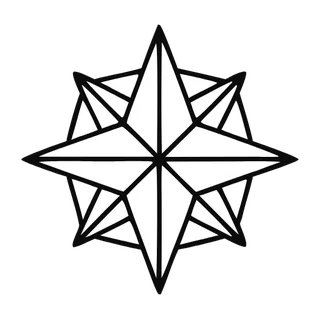
Low poly icons build objects from visible triangular facets, like a 3D model with the polygon count cranked down until the geometry becomes the aesthetic. Each facet catches a slightly different tone, giving flat vector shapes a crystalline, sculptural quality.

When to use low poly icons
Low poly reads as technical-but-artistic, which suits games, 3D tools, VPNs and security products, and anything adjacent to computer graphics culture. The faceting also disguises organic complexity — animals, mountains, and faces reduce beautifully to triangles when smooth realism would be unattainable. Keep facet density similar across icons or some will look "higher resolution" than others.
Best for
- Game art and menus
- 3D and graphics tools
- Security and VPN brands
- Posters and wallpapers
- Nature and animal sets
Example prompts
Paste one of these into the generator, or describe your own theme — every icon in the batch comes out in the same low poly style.
Frequently asked questions
How many facets should a low poly icon have?+
Enough to read the form, few enough that triangles stay visible — typically 20 to 60 facets at icon scale. More than that and the style collapses into smooth shading; fewer and objects become abstract. Consistent density across the set matters more than the exact count.
Are low poly icons real vectors?+
Yes — each facet traces to a flat-colored polygon path in the SVG, so the crystalline shading is genuine vector geometry you can recolor facet by facet in the studio.
Related styles


Popular uses for low poly icons
Guides with specs, workflow tips, and prompts for the jobs this style handles best.
Keep reading
Make your low poly icon set
Describe a theme, pick the Low Poly preset, and get a consistent set of up to 50 icons — exported as clean, editable SVG. Free to start, no credit card required.
Start generating — it's free